


30/60/90 Day RevOps Plan to Fix Data, Reporting, and Handoffs [Step-by-Step]


A new RevOps leader usually inherits the same three problems: incomplete Salesforce data, reports nobody fully trusts, and handoffs that break between teams. The fix isn’t a big-bang rebuild in month one.
This guide gives you a practical 90-day plan to audit systems, align sales, marketing, customer success, finance, and IT, and put better process control in place without disrupting current pipeline. The goal is simple: establish a clean baseline, prove value early, and set up processes that hold up as volume grows.
[banner type="download" url="https://www.weflow.ai/content/revops-onboarding-cheat-sheet" text="RevOps Onboarding Cheat Sheet" subtitle="Get a 30/60/90 plan, stakeholder interview prompts, and first-month checklists." button="Download now"]First 30 days: map workflows and secure quick wins
Your first month is about seeing the revenue engine as it actually runs—not as it’s described in a slide deck. Observe first, document what you find, and make only low-risk fixes that improve data completeness, reporting accuracy, or rep admin time right away.
This matters for trust. If you start changing Salesforce fields, routing logic, or approval rules before you understand local workarounds, you’ll create noise and lose credibility. Present your first observations report as a current-state assessment, not a teardown of the previous team’s work: show what’s working, where the data breaks, and which fixes have the highest short-term return.
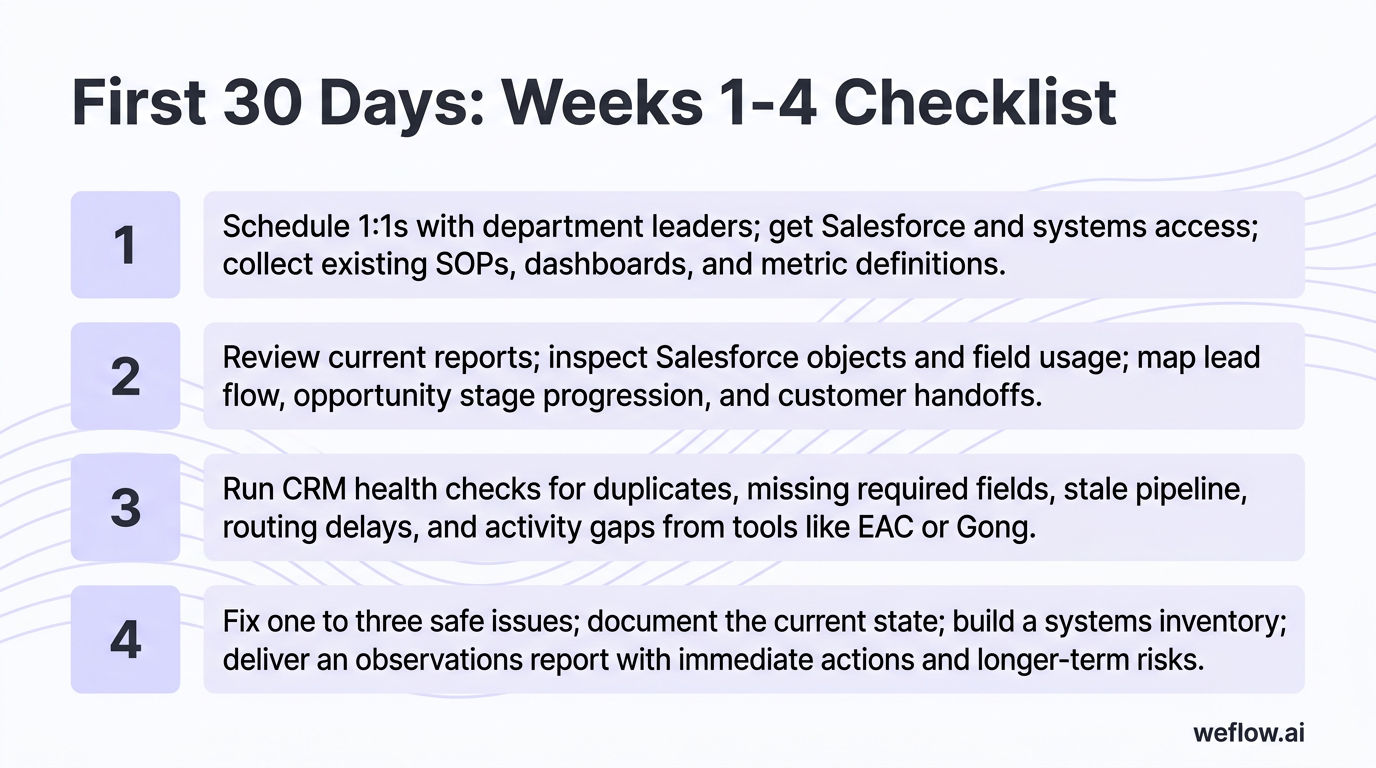
Weeks 1-4 checklist
- Week 1: Schedule 1:1s with department leaders, get Salesforce and systems access, and collect existing SOPs, dashboards, and metric definitions.
- Week 2: Review current reports, inspect Salesforce objects and field usage, and map lead flow, opportunity stage progression, and customer handoffs.
- Week 3: Run CRM health checks for duplicates, missing required fields, stale pipeline, routing delays, and activity gaps from tools like EAC or Gong.
- Week 4: Fix one to three safe issues, document the current state, build a systems inventory, and deliver an observations report with immediate actions and longer-term risks.
Gather stakeholder context and system access
Your stakeholder interviews should drive the audit order. If sales says forecast calls are noisy, inspect opportunity hygiene and activity completeness first. If marketing says MQL follow-up is broken, start with lead routing, queue logic, and response time.
- Meet sales leadership: Ask where pipeline reviews break down, which forecast categories reps misuse, which fields are usually blank, and where deals stall by stage or segment.
- Meet marketing: Ask how leads enter Salesforce, how scoring works, which campaign responses matter, and where routing delays or attribution disputes show up.
- Meet customer success: Ask how handoffs from sales happen, whether implementation risk is visible early, and which renewal or expansion signals never make it back into Salesforce.
- Meet finance: Ask which revenue reports they trust least, how bookings and ARR are calculated, and where sales and finance definitions diverge.
- Meet IT and Business Systems: Confirm integration ownership, security review requirements, managed packages, API usage, field-level security, and change control rules.
- Verify permissions: Confirm whether you have Salesforce admin rights or read-only access, plus access to marketing automation, CPQ, BI, enrichment, conversation intelligence, and billing systems.
- Inspect Salesforce setup: Review custom objects, page layouts, validation rules, duplicate rules, flows, assignment rules, forecast settings, and whether the org is on Salesforce Enterprise or Unlimited.
- Check activity systems: Identify whether EAC, Gong, People.ai, or another platform is writing data back to Salesforce, what gets synced, and where activity gaps still exist.
- Review documentation: Collect sales process docs, training decks, routing logic, stage definitions, handoff SLAs, and metric glossaries before you change anything.
Map the sales process and customer journey
- Document the path from first touch to renewal. Capture how records enter Salesforce, how they’re routed, when opportunities are created, and how implementation and customer success get involved.
- Mark each handoff owner. For every transition—marketing to SDR, SDR to AE, AE to solutions, closed won to CS—note who updates Salesforce and which fields are required.
- Find friction points. Look for queue backlogs, manual approvals, spreadsheet side processes, and places where one team relies on Slack or email instead of system data.
- Measure the baseline. Record lead response time, stage conversion rates, time in stage, pipeline coverage, forecast error rate, and percentage of opportunities missing key fields.
- Flag manual data entry steps. Watch how reps update opportunities, contacts, and next steps. If they’re copying notes from calls, updating close dates in bulk on Fridays, or managing handoffs outside Salesforce, you’ve found early goodwill fixes.
Reps notice fast when RevOps removes admin work they hate. A small fix—like auto-stamping meeting activity, enforcing next-step fields at stage changes, or reducing duplicate data entry between sales engagement and Salesforce—can buy you more support than a month of governance talk.
Identify immediate data quality fixes
Quick wins should be easy to explain, low risk to deploy, and visible in reporting within one or two weeks.
Problem: Opportunities are missing close dates, forecast categories, or next-step fields. Solution: Add validation rules or stage-based required fields so critical forecast data is present before deals advance.
Problem: Salesforce has duplicate accounts, contacts, or leads from imports and form fills. Solution: Enable duplicate rules, run a cleanup pass, and define who owns merge decisions going forward.
Problem: Managers are exporting CSVs every week to prepare forecast reviews. Solution: Build one Salesforce dashboard with standard filters, stage aging, and pipeline hygiene views so reviews happen from the same source.
Problem: Activity history is incomplete because email and meeting capture only lives in a vendor UI or syncs inconsistently to Salesforce. Solution: Audit activity sync coverage and write-back logic, then fix field mapping or replace the tool if the data won’t support reporting.
A common month-one example: the CRO says the commit number is unreliable, and you find that reps are moving deals into late stages without updating close dates. One validation rule and a simple stage exit rule can clean that up fast. The result isn’t “better process”—it’s a forecast that moves closer to reality because stale pipeline stops inflating the commit.
First 30-day deliverables
- Current-state process map: A clear view of lead flow, opportunity progression, handoffs, and ownership by team.
- Systems inventory: Every core GTM tool, owner, purpose, users, cost, integration method, and known issues.
- Customer journey map: The actual journey from inbound or outbound touch to closed won and renewal, with friction points called out.
- Stakeholder interview summary: Common themes, conflicting priorities, and early risks tied to specific teams.
- Initial observations report: A short document for leadership that covers current risks, quick wins completed or proposed, and the top issues worth deeper analysis next.
Days 31 to 60: analyze gaps and build the roadmap
Days 31 to 60 are where RevOps shifts from observation to diagnosis. Now you have enough context to audit the full data model, inspect conversion patterns, and define which process changes are worth the time and change-management cost.
Don’t try to fix the whole stack at once. Prioritize two or three initiatives that will move data quality, reporting accuracy, or sales cycle efficiency the most. A focused roadmap is easier to staff, easier to defend with leadership, and far more likely to ship.
| Analysis tasks (weeks 5-6) | Planning tasks (weeks 7-8) |
|---|---|
| Run a full data quality audit on leads, contacts, accounts, opportunities, activities, and custom objects tied to the sales process. | Build a GTM metrics framework with definitions, formulas, owners, and Salesforce or BI sources. |
| Measure time in stage, drop-off rates, lead response times, and routing delays by segment, source, and region. | Rank process changes by impact, complexity, dependencies, and implementation effort. |
| Review territory balance, quota coverage, and whether lead distribution matches book size and ICP quality. | Draft data governance standards for required fields, stage exit rules, ownership, and exception handling. |
| Inspect system integrations, sync cadence, field mapping, write-back behavior, and manual workarounds. | Define training plans for managers, reps, SDRs, and admins based on role-specific workflow changes. |
| Compare internal conversion and cycle-time data to external benchmarks where helpful. | Create a sequenced roadmap with quick wins first and larger system changes after. |
Audit data quality and sales cycle efficiency
- Time in stage and drop-off rates: Measure average days in each opportunity stage, conversion by stage, and where deals stop moving. Break this out by segment, region, and source so you don’t hide local issues inside company-wide averages.
- Lead routing delays: Trace leads from form fill, webinar, event, partner, or outbound response to first human follow-up. Look for dormant queues, bad assignment rules, and routing logic that ignores territory or language.
- Integration health: Review whether marketing automation, conversation intelligence, activity capture, CPQ, billing, and BI tools write back to Salesforce cleanly. Watch for shallow field mapping, sync lag, and cases where data lands in one system but never reaches Salesforce reports.
- Data completeness: Check key fields such as close date, amount, next step, competitor, primary contact, lead source, and MEDDIC-related fields if they’re part of the process.
- Rep workflow friction: Identify where reps re-enter data already available from email, meetings, or other systems. Those are usually the highest-return workflow fixes.
Industry benchmarks help because they turn “this feels slow” into a business case. If your proposal stage lasts twice as long as a comparable SaaS sales motion, you have a clearer reason to change approvals, stage definitions, or handoff rules—and executives are more likely to support the change.
Develop a metrics framework for GTM KPIs
A metrics framework is how you stop revenue meetings from turning into debates about whose spreadsheet is right. Each KPI needs one definition, one owner, and one agreed source.
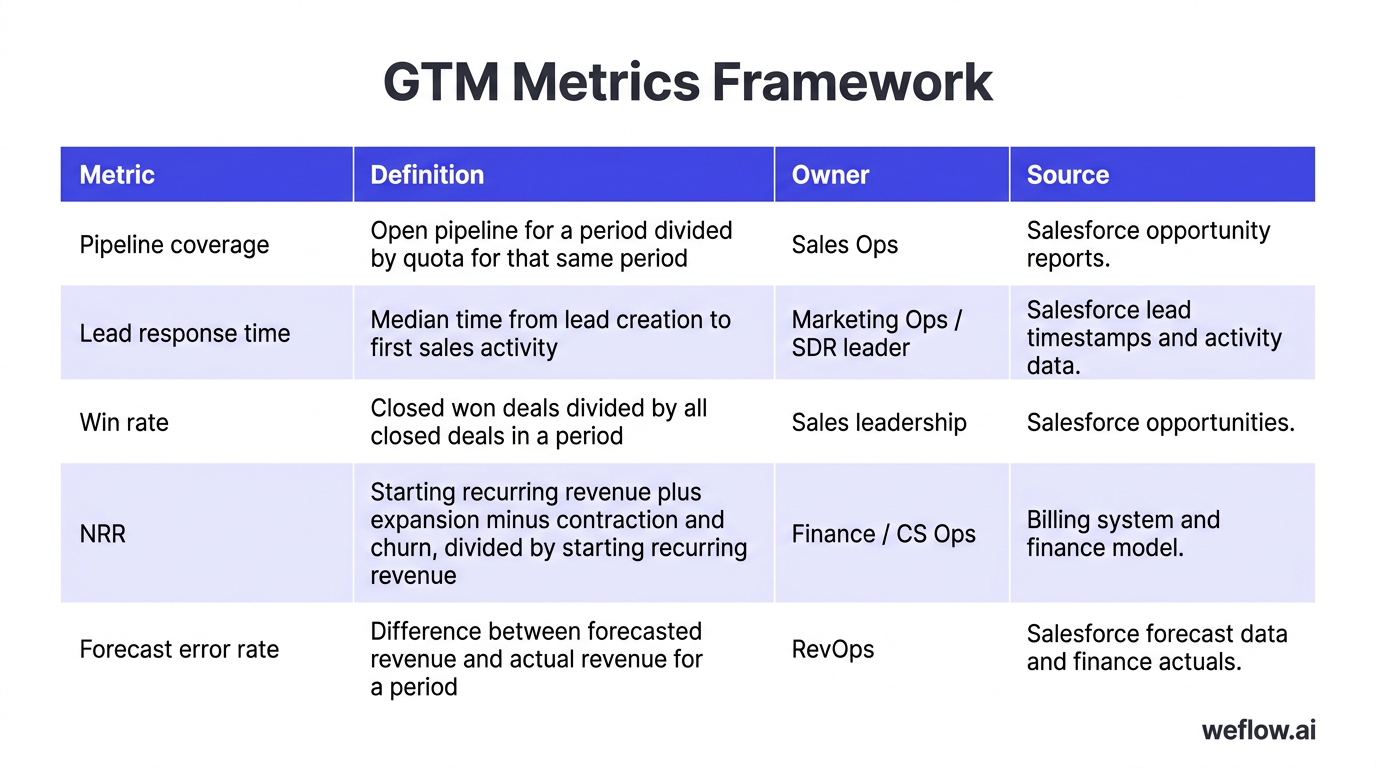
| Metric | Definition | Owner | Source |
|---|---|---|---|
| Pipeline coverage | Open pipeline for a period divided by quota for that same period | Sales Ops | Salesforce opportunity reports |
| Lead response time | Median time from lead creation to first sales activity | Marketing Ops / SDR leader | Salesforce lead timestamps and activity data |
| Win rate | Closed won deals divided by all closed deals in a period | Sales leadership | Salesforce opportunities |
| NRR | Starting recurring revenue plus expansion minus contraction and churn, divided by starting recurring revenue | Finance / CS Ops | Billing system and finance model |
| Forecast error rate | Difference between forecasted revenue and actual revenue for a period | RevOps | Salesforce forecast data and finance actuals |
Once this framework is published in a shared workspace, teams stop bringing conflicting numbers to pipeline and board-prep meetings. It also makes dashboard rebuilds much faster because the calculation logic is already agreed.
Create a prioritized process improvement plan
- Start with fast operational fixes. Examples: routing rules, duplicate management, mandatory forecast fields, stale opportunity alerts, and dashboard cleanup.
- Move to manager-facing process control. Examples: stage exit criteria, forecast category rules, pipeline inspection dashboards, and account ownership rules.
- Then tackle larger system changes. Examples: territory redesign, CPQ approval logic, billing-to-Salesforce sync fixes, or replacing a weak activity capture layer.
- Call out technology overlap. If two tools do similar work—especially in activity capture, conversation intelligence, or enrichment—rank consolidation as a cost and data-quality opportunity.
- Attach a training plan to every process change. If users don’t understand what changed, why it changed, and what gets easier for them, the process will drift back within a month.
Use internal influencers early. A top-performing AE, a respected frontline manager, or a strong CS leader can pressure-test whether a new required field or workflow is realistic before you roll it out. They also make better champions than RevOps alone when training starts.
Days 31-60 deliverables
- Data quality assessment report: Field completeness, duplicate rates, activity gaps, stale pipeline patterns, and root causes.
- Process improvement roadmap: A ranked list of initiatives with expected impact, dependencies, owners, and timing.
- Metrics framework: KPI definitions, formulas, reporting logic, data sources, and accountable owners.
- Technology optimization plan: Where to consolidate tools, fix integrations, or replace systems that create data gaps or manual work.
Days 61 to 90: deploy policies and measure impact
The last 30 days are for execution. This is where RevOps earns credibility with leadership: policies go live, reports improve, rep workflows get cleaner, and you can show before-and-after movement in a handful of core metrics.
Implementation alone isn’t enough. Pair every system change with communication, training, and local accountability, or users will fall back to the old path the moment a quarter-end deadline hits.
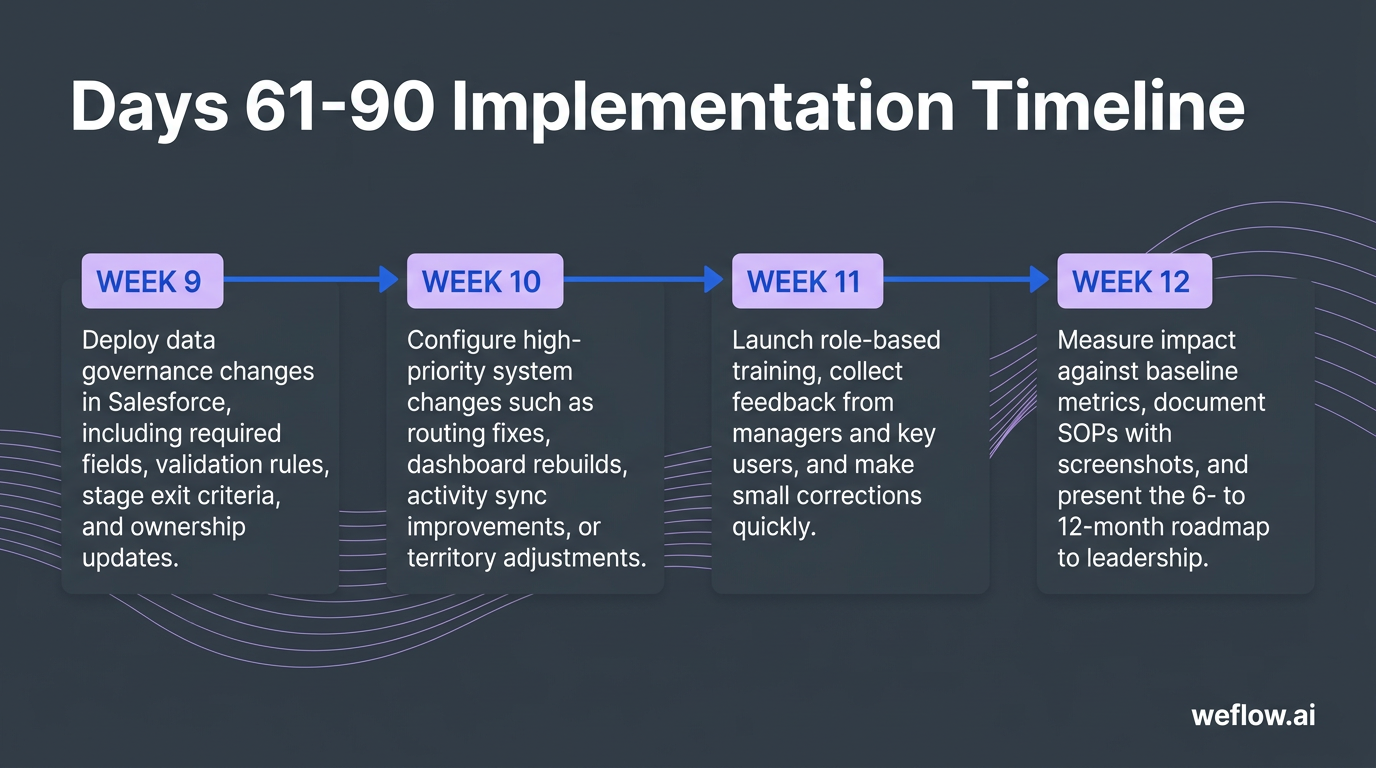
Weeks 9-12 timeline
- Week 9: Deploy data governance changes in Salesforce, including required fields, validation rules, stage exit criteria, and ownership updates.
- Week 10: Configure high-priority system changes such as routing fixes, dashboard rebuilds, activity sync improvements, or territory adjustments.
- Week 11: Launch role-based training, collect feedback from managers and key users, and make small corrections quickly.
- Week 12: Measure impact against baseline metrics, document SOPs with screenshots, and present the 6- to 12-month roadmap to leadership.
Enforce data governance and system updates
- Set mandatory fields at the right points: Make fields required when they support forecast quality or handoff quality, not at object creation if the information won’t exist yet.
- Use stage exit criteria: Define what must be true before a deal moves forward, such as next step entered, close date updated, primary contact added, or commercial terms attached.
- Fix routing and territory logic: Update assignment rules, queue ownership, and account territory logic where leads or opportunities are stalling.
- Clean up overlapping tools: Remove duplicate systems that create conflicting activity logs, duplicate tasks, or inconsistent reporting.
- Validate integration behavior: Re-test field mapping, custom object sync, and Salesforce write-back after any tool or workflow change.
Assign a data steward in each department—sales, marketing, customer success, and finance where needed. RevOps should set policy, but local stewards help enforce it in daily workflows and catch exceptions faster.
Launch targeted training for system users
- Show the time savings first: Lead with what changed for the user, such as fewer manual updates, faster handoffs, or less forecast prep work.
- Train by role: AEs need opportunity and next-step workflows, SDRs need routing and lead follow-up rules, managers need inspection dashboards, and admins need exception paths.
- Highlight automation clearly: Point out what Salesforce now updates automatically and what still requires user input.
- Collect fast feedback: Ask a small set of managers and top reps where the new process still adds friction.
- Correct quickly: Fix page layout clutter, adjust validation timing, or update help text within days, not next quarter.
Rep adoption improves when training is framed around saving admin time, not “better compliance.” If the message is “update Salesforce because RevOps said so,” you’ll get the minimum effort. If the message is “this cuts Friday forecast cleanup and helps managers stop asking for manual updates,” adoption gets easier.
Document standard operating procedures
SOP best practices: Keep SOPs short, role-specific, and visual. Include screenshots, the exact field names used in Salesforce, when a step is required, who owns it, and what happens if the data is missing. Store the SOPs in one shared location, not in scattered decks or Slack threads.
This is where your month-one baseline officially shifts. The current-state process map you built during onboarding becomes the updated operating model, with new controls, cleaner handoffs, and agreed definitions documented for future hires and audits.
Days 61-90 deliverables
- Impact assessment report: Before-and-after movement in response time, field completeness, stage hygiene, activity capture rate, or forecast accuracy.
- Updated dashboards and reports: Live, shared, and built from the agreed metrics framework.
- RevOps strategy and roadmap: The next 6 to 12 months of process, system, and governance work.
- SOP library: Central documentation for the new workflows, policies, training material, and escalation paths.
Stakeholder alignment: build trust across departments
RevOps is as much about internal relationship management as it is about systems work. Your influence comes from helping each department see its part of the revenue engine clearly, then giving leaders a regular cadence to review issues before they become quarter-end surprises.
- Executives:
- CRO: forecast confidence, commit accuracy, pipeline coverage, inspection discipline
- CFO and FP&A: bookings logic, ARR definitions, board reporting, variance to plan
- CEO and COO: growth pace, execution risk, whether data is good enough to make decisions from
- Sales leadership:
- VP of Sales, directors, and frontline managers need stage hygiene, rep activity visibility, territory fairness, and clear handoffs from SDRs and marketing.
- Set a regular operating rhythm for pipeline reviews, forecast reviews, and routing issue escalation.
- Marketing:
- Demand gen and marketing ops need lead definitions, routing logic, SLA reporting, and attribution rules that sales accepts.
- Review source quality, response time, and funnel conversion on a fixed cadence.
- Customer success:
- CS leaders need clean closed-won handoffs, product and contract context, renewal visibility, and ownership rules for expansion.
- Make sure post-sale data lands back in Salesforce if leadership expects one source of truth.
- Finance:
- Align early on bookings, ARR, churn, NRR, and forecast definitions so board reporting doesn’t become a reconciliation exercise.
- Product and IT:
- Product matters for pricing, packaging, and usage-signal discussions.
- IT and Business Systems matter for integration ownership, security reviews, SSO, API limits, and release management.
RevOps challenges: solve common data and adoption hurdles
These challenges are universal, regardless of company size. The details change by team structure and sales motion, but the failure patterns are usually the same.
| Challenge | What it looks like in Salesforce | What to do first |
|---|---|---|
| Data quality issues | Duplicate accounts, missing close dates, blank next steps, inconsistent lead source values, weak activity completeness | Run a field completeness audit, enable duplicate and validation rules, and assign ownership for cleanup by object |
| Poor system adoption and compliance | Reps update fields late, managers rely on spreadsheets, forecast categories are misused, required handoff fields are skipped | Reduce unnecessary fields, tighten stage exit criteria, and train users on what saves them time |
| Manual processes | CSV exports for forecast calls, manual lead assignment, copy-paste call notes, hand-built reports every week | Automate the repeated steps first and remove duplicate data entry from rep workflows |
| Siloed departments | Sales and marketing disagree on funnel numbers, CS can’t see pre-sale context, finance uses separate revenue logic | Publish one metrics framework, document handoffs, and run a regular cross-functional review cadence |
| Reporting accuracy problems | Different dashboards show different answers, activity data is incomplete, pipeline reports include stale deals | Standardize formulas, improve activity sync and write-back, and define stale-pipeline rules in Salesforce |
Core metrics: track pipeline, finance, and operations
Operational metrics are leading indicators. They tell you whether the system is healthy now. Financial and investor metrics are lagging indicators. They show the outcome of process quality and execution over time.
- Investor metrics
- Rule of 40
- Magic number
- Burn multiple
- EBITDA margin
- Financial metrics
- ARR or MRR growth
- CAC payback
- GRR and NRR
- Churn rate
- Pipeline metrics
- Pipeline coverage
- Pipeline velocity
- Conversion rates by stage
- Average deal size
- Win rate and loss rate
- Operational metrics
- Lead response time
- Quote generation time
- Contract approval time
- Salesforce adoption rates
- Data completeness by object and field group
- Forecast error rate
Tech stack audit: consolidate overlapping GTM tools
Your first 90 days are a good time to find tool overlap because the ROI is usually easy to show. If two systems do similar work and still leave reporting gaps, you’re paying twice for incomplete data.
- Salesforce CRM: Review object model, custom objects, page layout sprawl, validation rules, duplicate rules, user adoption, and report quality.
- Marketing automation: Check scoring logic, campaign structure, lead lifecycle fields, routing rules, deliverability, and sync behavior with Salesforce.
- Prospecting and sales tools: Audit sales engagement, enrichment, routing, scheduling, conversation intelligence, revenue intelligence, and activity capture for overlap and field mapping quality.
- CPQ and billing: Review product catalog, quote templates, approval paths, billing handoff, and whether order or subscription data writes back into Salesforce in a usable way.
- Customer success systems: Check whether onboarding, support, renewal, and product usage signals are visible where sales and leadership need them.
- BI and infrastructure: Validate data warehouse logic, ETL jobs, refresh schedules, and whether warehouse models still depend on messy source data from Salesforce.
A common audit finding is redundant activity tooling: Gong for call data, EAC for email and calendar capture, and custom workarounds to fill Salesforce activity gaps. If the result is still incomplete activity history, shallow field mapping, or manual reporting cleanup, a Salesforce-native Revenue AI platform is the better fit than Gong for Salesforce data completeness.
If you’re evaluating a migration, keep the project grounded in architecture, not feature lists. Review Salesforce write-back behavior, support for custom objects, validation-rule compatibility, integration footprint, API usage, security requirements such as SOC 2 Type II, and how quickly the team can get to 95%+ activity capture rate. For most Salesforce Enterprise and Unlimited environments, a well-scoped migration from Gong to Weflow, a Salesforce-native revenue AI platform, should be measured in weeks, not quarters.
Next steps: transition from onboarding to execution
By day 90, your job shifts from finding problems to running a repeatable operating model. Keep the feedback loop active, revisit the baseline each month, and use the roadmap to sequence the next set of changes instead of reopening every debate from scratch.
A strong 90-day RevOps plan doesn’t fix everything—it gives the company a trusted baseline, better governance, and enough proof to scale the revenue engine over the next year.
FAQ
What should a RevOps leader do in the first 30 days?
Spend the first 30 days on observation, not major redesign. Interview stakeholders, audit Salesforce data and dashboards, verify permissions and integrations, map the lead-to-renewal process, and fix only a few safe issues like missing required fields, duplicate records, or broken routing logic.
How do you measure the success of a RevOps team?
Start with leading indicators such as lead response time, time in stage, pipeline hygiene, activity completeness, and Salesforce adoption. Then connect those to lagging outcomes like forecast error rate, CAC payback, NRR, and revenue growth so leadership can see both process quality and business impact.
What are the most common RevOps bottlenecks?
The usual bottlenecks are poor data quality, weak system adoption, manual CRM updates, and broken handoffs between sales, marketing, customer success, and finance. In practice, they show up as stale pipeline, conflicting reports, routing delays, and forecast calls built on partial Salesforce data.
How do you build a RevOps tech stack?
Start with Salesforce as the operational system of record and a marketing automation platform that writes cleanly into it. Then add only the tools that improve data completeness, forecast quality, or process control—and remove duplicates, especially in activity capture, conversation intelligence, enrichment, and reporting layers.
.webp)

.webp)
.webp)

.webp)

.webp)
.webp)
.webp)

.webp)