


SPICED Sales Process Questions That Uncover Pain, Timeline, and Buying Criteria [With Prompts]


SPICED gives reps a structure for discovery when surface-level questions aren’t enough. Instead of stopping at company size, tool stack, and a vague timeline, it helps you uncover what’s broken, what it costs, what date matters, and how a purchase will actually get approved.
In this guide, you’ll get practical SPICED sales questions for each stage—Situation, Pain, Impact, Critical Event, and Decision—plus prompts you can add to call guides, manager scorecards, or Salesforce fields.
[banner type="download" url="https://www.weflow.ai/content/spiced-sales-checklist" text="SPICED Sales Process Checklist" subtitle="Get SPICED discovery questions, qualification prompts, and a sales checklist." button="Download now"]Situation and pain: uncover the prospect's current reality
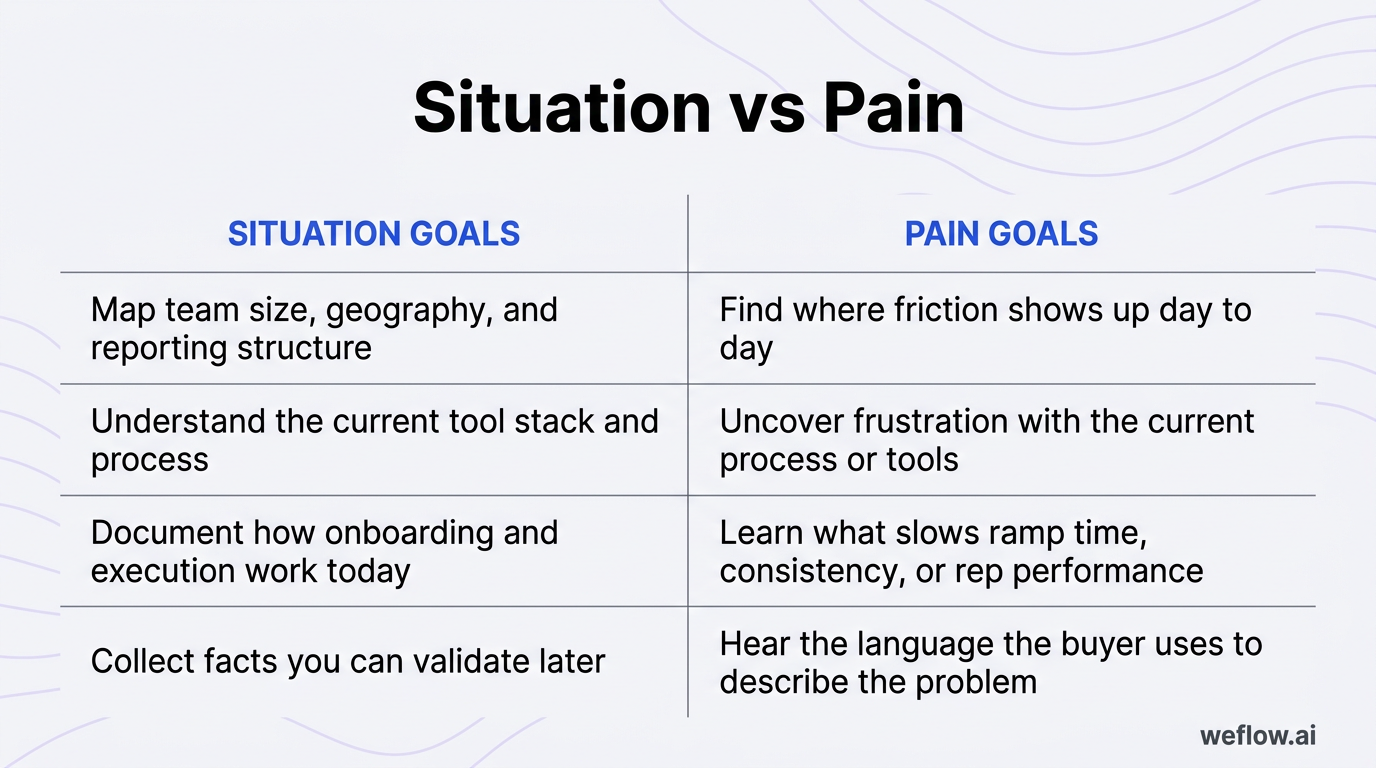
The first half of SPICED is about building the baseline. Situation tells you what the prospect’s world looks like today. Pain tells you where that world breaks down, who feels it, and why the status quo isn’t working.
| Situation goals | Pain goals |
|---|---|
| Map team size, geography, and reporting structure | Find where friction shows up day to day |
| Understand the current tool stack and process | Uncover frustration with the current process or tools |
| Document how onboarding and execution work today | Learn what slows ramp time, consistency, or rep performance |
| Collect facts you can validate later | Hear the language the buyer uses to describe the problem |
Reps who skip this step usually pitch too early. If you don’t understand the current state, you can’t tell whether the prospect has a process problem, a staffing problem, a systems problem, or no urgent problem at all.
Map the current team and technology stack
Your first job is to get a clean picture of the environment. These questions sound simple, but they tell you a lot about scale, operating model, and how hard change will be.
- How many sales reps work in your [city/location] office?
- How is the team split across offices or regions?
- What sales tools are you using right now?
- Which tools do reps use every day, and which ones are mostly used by managers or ops?
- Where does your team still rely on spreadsheets, email threads, or manual updates?
The key is to ask these as context-setting questions, not as a checklist you need to get through. A simple transition works well: “Before we get into how you’re evaluating this, can I get a quick picture of the team and the tools you already have in place?” That framing tells the buyer why you’re asking and keeps the conversation from feeling like an interrogation.
It also helps to group related questions together. Ask about team structure, then ask about tooling, then pause and reflect back what you heard. Buyers usually give you more useful detail when they can hear that you understood the first answer.
Pinpoint the root challenges driving change
Once you know the baseline, move from facts to friction. This is where discovery starts to matter. You’re not just asking what exists—you’re asking what isn’t working well enough to justify change.
Pain-focused prompts
- What are the biggest challenges your team is facing right now?
- How do you currently onboard and train your sales team?
- Where do new reps tend to get stuck?
- What breaks most often when managers try to coach or inspect deals?
When you ask pain questions, listen for more than the headline problem. Listen for cues that tell you how serious the issue is:
- Repeated words: If they say “inconsistent,” “manual,” or “hard to see” more than once, that’s usually the real problem statement.
- Workarounds: Phrases like “we usually patch it in a spreadsheet” or “managers have to chase reps” signal process failure.
- Ownership gaps: If nobody clearly owns the issue, the problem tends to persist longer and block rollout.
- Emotional language: Words like “frustrating,” “messy,” or “painful” tell you where the buyer feels personal pressure.
Good reps don’t rush past these answers. They ask one level deeper. If the buyer says onboarding is inconsistent, ask what that inconsistency costs. If they say managers lack visibility, ask where that shows up first—in forecast calls, rep coaching, or hiring decisions.
Impact and critical events: build urgency for the solution
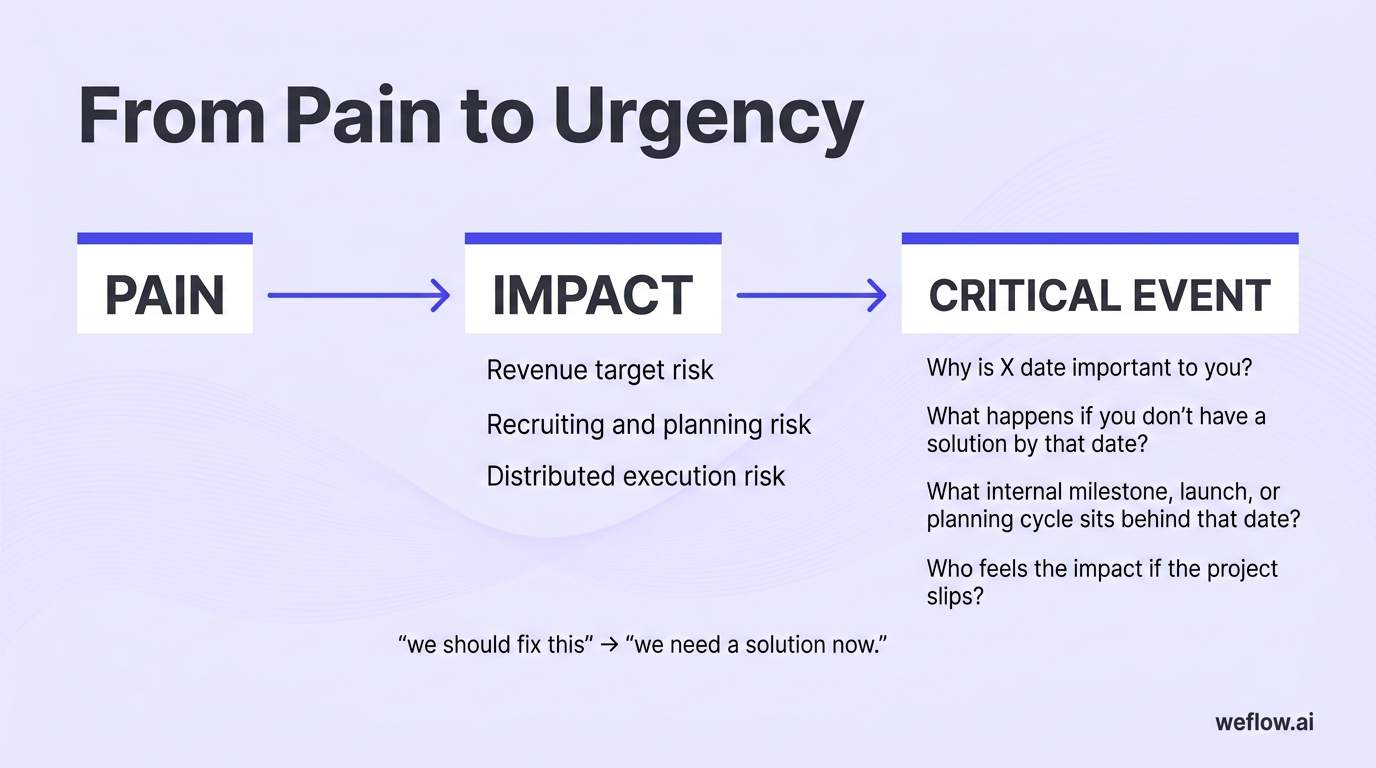
Pain alone rarely creates momentum. Buyers move when they can connect a problem to a measurable cost and then tie that cost to a date the business cares about. That’s the shift from “we should fix this” to “we need a solution now.”
Quantify the business cost of the problem
Impact questions force the prospect to say what the problem is doing to the business. That matters because a clear cost is easier to prioritize, easier to defend internally, and easier to turn into a business case.
-
Revenue target risk
Prompt: How do slow-ramping sales reps affect your ability to hit revenue targets?
This question works because it links enablement and onboarding issues to quota attainment. If the answer is vague, follow up with specifics: How long does full productivity take today? What would a faster ramp change this quarter or this year?
-
Recruiting and planning risk
Prompt: What impact does a lack of visibility have on your recruiting efforts?
This gets the buyer to connect poor visibility with hiring decisions, territory planning, and manager bandwidth. In many teams, the cost isn’t only missed revenue—it’s also hiring too late, hiring too early, or failing to support new headcount with enough pipeline.
-
Distributed execution risk
Prompt: How important is remote team collaboration to you?
Use this to uncover whether the issue is about coaching quality, handoffs, access to context, or uneven execution across offices. If the team sells across regions or time zones, poor collaboration often creates inconsistent discovery, weak follow-up, and slower deal progression.
You should adjust these examples to the role and industry in front of you. A CRO may care most about forecast accuracy and revenue attainment. A sales manager may care more about rep ramp time and coaching load. A RevOps leader may care about data completeness, process compliance, and whether managers can trust Salesforce reports. The prompt stays similar, but the follow-up should match the buyer’s operating metrics.
Anchor the purchase timeline to a hard date
A real timeline comes from a real event. If there’s no business consequence attached to the date, it’s usually not a critical event—it’s just a preference.
- Why is X date important to you?
- What happens if you don’t have a solution by that date?
- What internal milestone, launch, or planning cycle sits behind that date?
- Who feels the impact if the project slips?
Real critical events tend to have three traits: they’re tied to another business process, they have a named owner, and missing the date has a visible consequence. That could be a new sales kickoff, a board meeting, a fiscal-year planning cycle, a compliance requirement, or a major hiring wave.
Fake deadlines sound softer. You’ll hear things like “we’d like to get this done soon” or “sometime this quarter would be good.” Those aren’t useless, but they don’t create urgency on their own. Keep digging until you know what changes on the other side of the date—or whether nothing actually changes at all.
Decision criteria: navigate the final purchase process
The last part of SPICED is about deal mechanics. Even when the pain is clear and the timeline is real, deals stall when reps don’t understand how approval works inside the account.
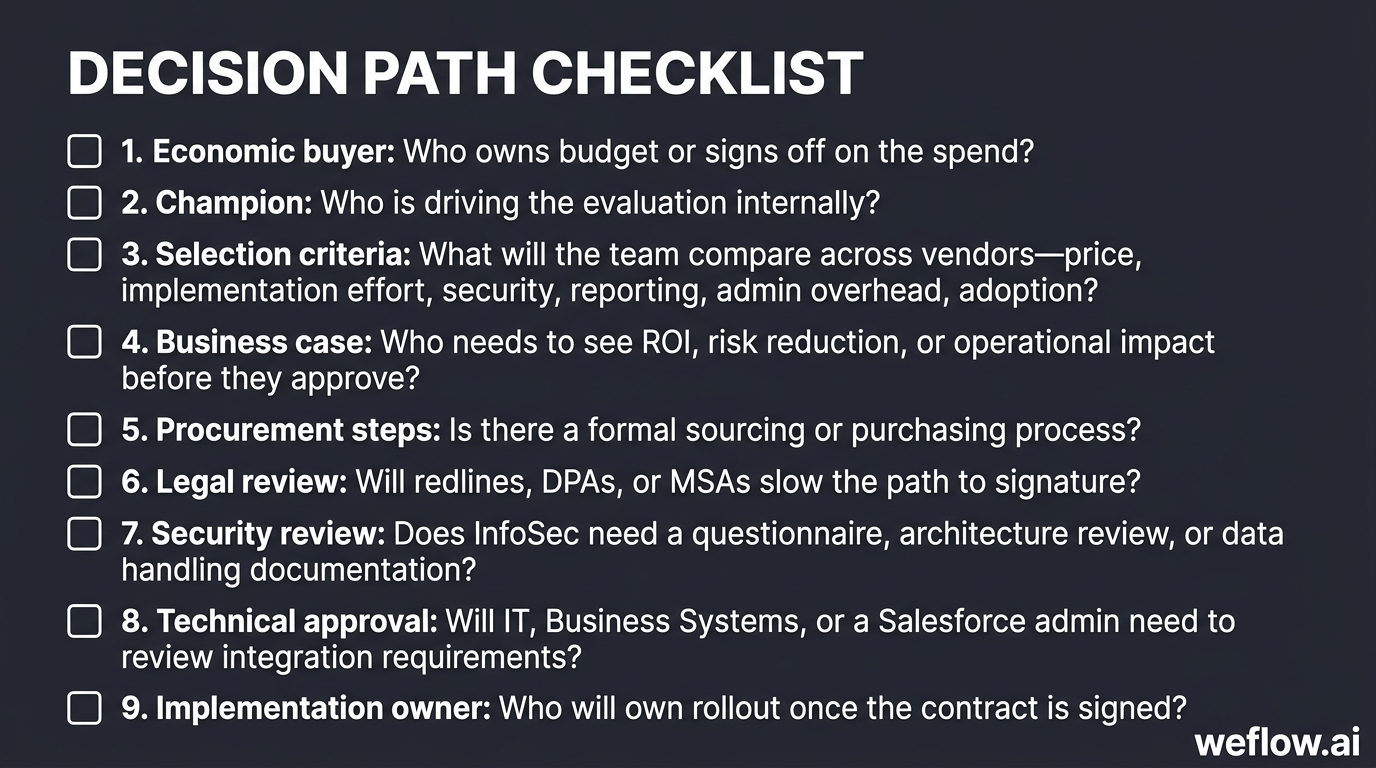
Use this checklist to map the decision path early:
- Economic buyer: Who owns budget or signs off on the spend?
- Champion: Who is driving the evaluation internally?
- Selection criteria: What will the team compare across vendors—price, implementation effort, security, reporting, admin overhead, adoption?
- Business case: Who needs to see ROI, risk reduction, or operational impact before they approve?
- Procurement steps: Is there a formal sourcing or purchasing process?
- Legal review: Will redlines, DPAs, or MSAs slow the path to signature?
- Security review: Does InfoSec need a questionnaire, architecture review, or data handling documentation?
- Technical approval: Will IT, Business Systems, or a Salesforce admin need to review integration requirements?
- Implementation owner: Who will own rollout once the contract is signed?
Uncovering this early prevents the classic late-stage surprise: a strong champion says yes, then the deal disappears into procurement, security, or an internal approval path nobody mentioned on the first three calls.
Review previous software purchase history
Prompt: Have you brought in a product like this before?
This question tells you how mature the buyer is and how much friction to expect. Past buying behavior is usually the clearest predictor of future deal motion. If they’ve bought similar software before, they already know who needs to approve, what legal asks for, and where security tends to slow things down.
If they haven’t, plan for more education and more internal alignment work. If they have, ask what happened with the last purchase: who ran it, what delayed it, and whether the previous rollout created trust or skepticism with leadership.
Map the internal buying and legal process
Once the buyer acknowledges there’s a process, make it concrete. You want names, steps, and dependencies—not a generic “we’ll loop them in later.”
- How does your buying process work from evaluation to signature?
- Who else needs to be involved before a final decision gets made?
- Are there any other conversations we should start now, like with Legal, Security, and/or IT?
- Does your team require a security review, technical review, or data processing review before procurement?
- Who should be part of implementation planning if this moves forward?
The easiest way to ask for introductions without bypassing your champion is to make the champion the coordinator. Try language like: “Would it make sense to pull in Security early so we don’t create delays later?” or “If it helps, we can do a short working session with Legal or IT while you stay in the loop.” That keeps trust intact and makes your champion look organized, not sidelined.
FAQ
What is the SPICED sales methodology?
SPICED is a discovery and qualification framework used in B2B SaaS sales to understand a buyer’s current state, core problems, business impact, timeline drivers, and decision path. It was popularized by Winning by Design and is commonly used in consultative sales environments.
- Situation: What the prospect’s world looks like today
- Pain: What isn’t working and why it matters
- Impact: What the business gains or avoids by solving the problem
- Critical Event: What date or milestone creates urgency
- Decision: How the purchase will get approved
How does the SPICED framework differ from BANT?
BANT focuses on budget, authority, need, and timing, which makes it useful for fast qualification. SPICED is a better fit for complex B2B SaaS deals because it goes deeper on business impact and critical events, not just whether money and authority exist. That matters in longer sales cycles where multiple stakeholders need a clear reason to act now.
When should reps use SPICED questions?
Reps should start using SPICED in early discovery and qualification calls, then validate each part as the deal progresses. The first call may uncover the initial pain and timeline, but impact, stakeholder alignment, and decision steps often change as more people join the evaluation.
Can you use SPICED for existing customers?
Yes. SPICED works well for renewals, upsells, and expansion opportunities because existing customers still have a current situation, new pain points, and a decision process. In customer accounts, a critical event might be a renewal date, a product rollout, a new regional launch, or a leadership change that creates pressure to expand or standardize.
-p-1600.png)

-p-1600.png)
-p-1600.png)

-p-1600.png)
-p-1600.png)
-p-1600.png)
-p-1600.png)
-p-1600.png)
-p-1600.png)
-p-1600.png)