


Salesforce Activity Capture: Automate Reliable Email and Meeting Logging [Step-by-Step]


Manual activity logging creates blind spots fast. If reps have to remember every email and meeting update, Salesforce ends up with partial activity history, weak pipeline inspection, and forecast inputs you can’t trust.
Automated activity capture fixes that by logging emails and meetings in the background and writing them to the right Salesforce records. This guide covers how activity capture works, where native Salesforce options fall short, which objects to use, and how to evaluate third-party tools that create permanent records in Salesforce.
[banner type="download" url="https://www.weflow.ai/content/salesforce-activity-capture-cheat-sheet" text="Salesforce Activity Capture Cheat Sheet" subtitle="Definitions, seller-activity benefits, auto-capture workflows, and setup best-practice checklist." button="Download now"]Activity capture basics: eliminate data gaps and boost win rates
Activity capture means automatically logging customer and internal emails and meetings to Salesforce, then associating them with the right records—usually Contacts, Leads, Accounts, Opportunities, and Events. You can rely on reps to log activities manually, but that usually turns Salesforce into a partial record of what happened instead of a complete one.
That matters because manual logging adds admin work to every rep workFlow. A rep sends an email, schedules a meeting, changes owners on an opportunity, and then has to decide whether to open Salesforce and log it. Most won’t do that consistently, especially in high-volume outbound teams or late-stage deal cycles.
- Track seller activity. Activity data shows rep productivity, account coverage, and which behaviors correlate with pipeline movement.
- Track customer history. A complete email and meeting record makes handoffs cleaner—from SDR to AE, AE to CSM, or rep to rep during territory changes.
- Monitor account health. Reply rates, activity recency, and meeting volume help you spot engaged accounts, stalled deals, and risk before the weekly forecast call.
- Optimize sales processes. Reliable activities support Salesforce automations, stage controls, deal inspection workflows, and reporting on process compliance.
Once the data is in Salesforce, you can surface simple but useful activity metrics such as reply rate, last email date, next meeting scheduled, next meeting date, last activity date, next activity date, and engagement score. These are not vanity metrics—they’re inputs for pipeline coverage, deal health, and forecast confidence.
Compare manual vs automatic logging capture rates
The biggest difference between manual and automated capture is data completeness. If manual logging captures less than 28% of activities, you’re missing more than 72% of the record before reporting even starts.
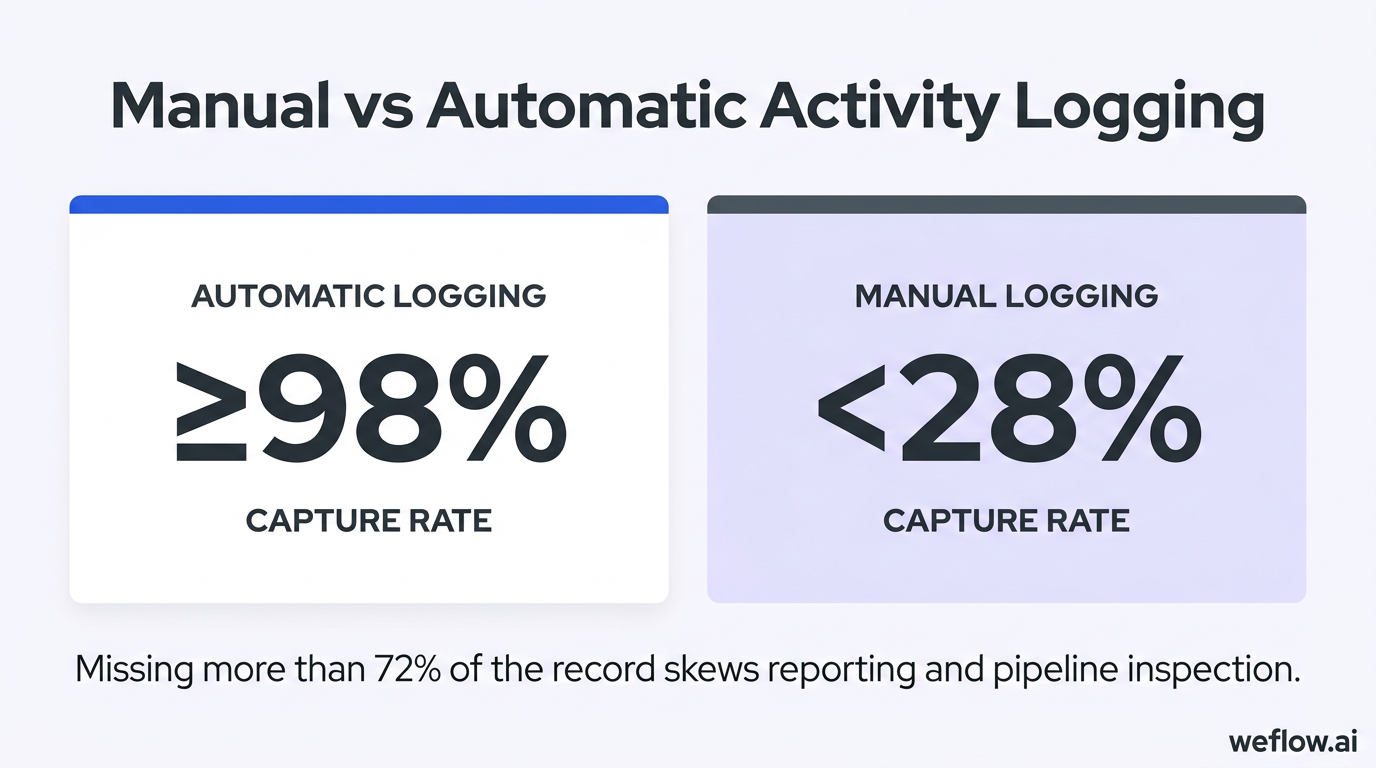
| Logging method | Capture rate |
|---|---|
| Automatic logging | ≥98% |
| Manual logging | <28% |
That gap skews everything downstream: pipeline inspection, activity-based coaching, account health scoring, stage conversion analysis, and board reporting. Winner: automatic logging.
Track sales activities to predict closed-won likelihood
Activities are leading indicators, not just historical records. Strong activity patterns often show up before stage progression or forecast changes do, which makes them useful for mid-quarter reforecasting and deal risk reviews.
| Multiplier | Indicator | Condition |
|---|---|---|
| 2x | Higher closed-won likelihood | Reply rate is above 50% |
| 3x | Higher closed-won likelihood | Time-to-reply is under 24 hours |
| 5x | Higher closed-won likelihood | The deal is multi-threaded |
These patterns help RevOps teams move from “How much pipeline do we have?” to “Which deals show the interaction quality we usually see in wins?” Winner: activity metrics tied to deal outcomes.
Differentiate sales activity metrics from marketing data
Sales activity capture is not the same as marketing email tracking. Marketing systems optimize bulk sends and campaign performance. Sales teams need person-level interaction data that maps to accounts, contacts, and active opportunities inside Salesforce.
| Sales activity metrics | Marketing metrics |
|---|---|
| Average reply time | Opens |
| Number of incoming emails | Clicks and CTR |
| Number of outgoing emails | List growth rate |
| Time since last email | Unsubscribe rate |
| Multi-threading | Bounce rate |
| Meeting recency and volume | Conversion rate on campaign actions |
Open and click data can help marketing teams. They should not be the main signal your sales managers use to judge account health or deal momentum. Winner for pipeline inspection: sales activity metrics.
Native Salesforce solutions: limitations in storage and reporting
Salesforce offers two native ways to capture activities: Einstein Activity Capture and the Salesforce Integration for Gmail and Outlook. Both solve part of the problem, but neither gives most RevOps leaders the data completeness, reporting flexibility, and permanent record storage they need.
The technical issue sits underneath the UI. With Einstein Activity Capture, activity data is not stored as normal Salesforce records in core Salesforce storage. Instead, Salesforce stores the records in Hyperforce infrastructure—previously described as AWS-based storage—and fetches activity data to display it in the timeline.
That distinction matters. A timeline can make the data look native even when it isn’t. But if the records aren’t first-class Salesforce objects, standard reporting, Flow automation, data migration, and long-term retention all get harder. That’s why teams often discover the limitation later—usually when Finance asks for a historical report, the business systems team needs a migration plan, or RevOps wants activity-based automation tied to opportunity stages.
Evaluate Einstein Activity Capture pros and cons
| Pros | Cons |
|---|---|
| Captures activities automatically | Activities are not stored as standard Salesforce records |
| Works with Google Workspace and Microsoft 365 | Standard Salesforce reporting is limited |
| Easy to set up for basic use cases | Flow and automation options are limited because the records are off-core |
| Basic version is included with some Salesforce plans | Historical data migration is difficult because the records are not stored in Salesforce |
| Bi-directional sync for calendars and contacts | Logging to the right opportunity can be inconsistent without extra logic |
| Prebuilt dashboards allow limited customization | |
| Alias handling and detailed admin controls are limited |
EAC is often good enough for calendar sync, which is why some teams keep it for meetings while using another tool for email capture and Salesforce write-back. Winner for low-effort calendar sync: Einstein Activity Capture.
Assess the Salesforce integration for Gmail and Outlook
| Pros | Cons |
|---|---|
| Included with certain Salesforce editions | Logging is manual and takes multiple clicks per activity |
| Works inside Gmail and Outlook | Reps forget to log activities, which creates gaps |
| Frequent re-authentication causes rep abandonment | |
| Admins have limited central controls | |
| Browser and add-in performance can be inconsistent | |
| Incomplete logging makes activity reports hard to trust |
Re-authentication sounds like a small issue until you watch adoption drop. Once reps stop trusting that the extension will stay connected, they stop logging consistently, and activity completeness falls quickly. Winner for data completeness: automated capture, not manual extensions.
Identify underlying data storage and reporting issues
If you want reliable reporting, start with one question: Are the activities stored as Salesforce records, or only displayed in Salesforce? That determines whether standard report builder, Flow, validation rules, and downstream integrations can use the data cleanly.
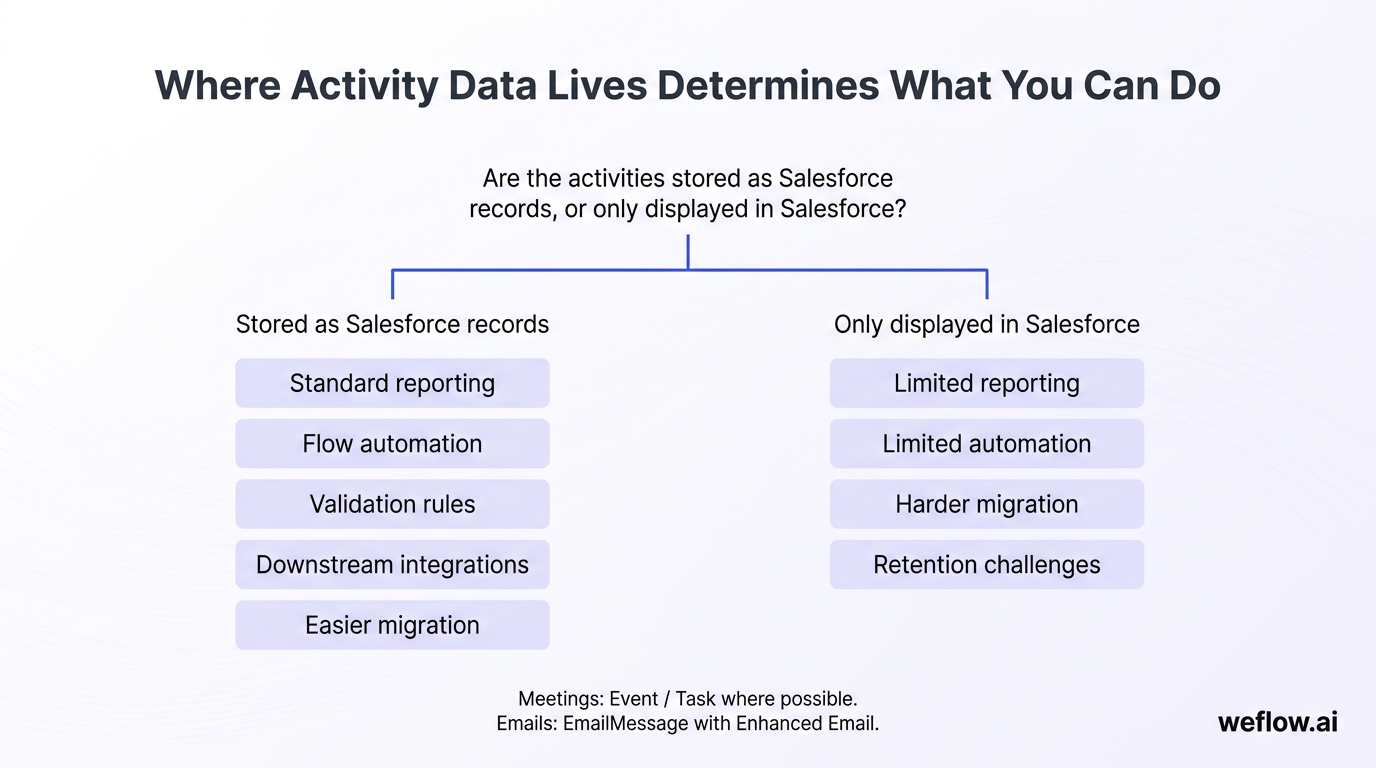
- Report on Event and Task where possible. Meetings stored on the standard Event object and activities logged as Tasks can be reported on with standard Salesforce report types.
- Use EmailMessage for email reporting. If you enable Enhanced Email and update your report types, you can report on the EmailMessage object directly instead of forcing all emails into Tasks.
- Expect extra setup for EmailMessage. Reporting on EmailMessage usually requires admin work to enable the object, confirm page layouts, and build or adjust custom report types.
- Plan for migration early. If your current capture method stores activity data off-core, getting that history back into Salesforce later can require paid services, custom exports, or a third-party sync project.
The hidden cost is not the initial setup—it’s the day you need 18 months of activity history for a post-merger migration, a PE-backed diligence request, or a forecast audit and realize the data was never stored in Salesforce records to begin with.
Salesforce object architecture: map emails and meetings
For clean data architecture, use standard Salesforce activity objects wherever possible. That usually means EmailMessage for emails and Event for meetings, with Tasks used where Salesforce creates them as supporting records.
Warning: Avoid custom email objects unless you have a documented edge case that standard objects cannot handle. Custom objects increase field mapping work, break compatibility with some vendors, and complicate M&A migrations, data exports, and third-party integrations.
Store emails using the Enhanced Email Object
Salesforce can store emails as Tasks, but that model is limited. Tasks can represent many activity types, so they’re not a clean email data model if you need HTML content, sender and recipient fields, attachments, or email-specific automation.
The better native object is EmailMessage, enabled through Enhanced Email.
- It stores full email content. That includes HTML body and email context such as From, To, CC, and BCC.
- It gives you a dedicated email object. EmailMessage is separate from general-purpose activity Tasks, which makes reporting and field mapping cleaner.
- It supports workflows and custom fields. That matters if you want process logic based on activity type, sender domain, or engagement patterns.
- It works better with standard Salesforce reporting. Once configured, admins can build report types around email-specific data instead of trying to infer email behavior from Task records.
Enhanced Email also creates a background Task for each email to maintain timeline behavior, but the email itself remains on the EmailMessage object. That gives you the record structure you need without cluttering the activity timeline with duplicate visible entries.
Log meetings using the standard Event Object
For meetings, use the standard Event object. It fits calendar-based activity well, supports reporting, and works more cleanly with Salesforce scheduling and activity timeline behavior than custom meeting objects. If multiple internal users attend the same meeting, parent and child event handling matters—especially if your tool needs to avoid duplicate attendee records while still preserving ownership and participation history.
Third-party capture tools: criteria for reliable vendor selection
If native options leave gaps in reporting, storage, or control, the next step is evaluating a third-party activity capture tool. This is where RevOps leaders need to think like system owners, not just buyers: data model, Salesforce write-back, API usage, privacy controls, sync latency, and migration path all matter.
A pilot is non-negotiable. Activity capture touches email systems, calendars, Salesforce objects, field mapping, and rep workflows. You need to see how the tool behaves in your environment, with your validation rules, your record ownership model, and your sales process.
- Run a pilot before signing. Test data completeness, match rates, duplicate handling, and user adoption with a small group first.
- Make the vendor explain the business logic. If they can’t show how an email gets mapped to a Contact, Account, and Opportunity, expect reporting issues later.
- Prefer standard Salesforce objects. EmailMessage, Event, Task, Contact, Lead, and Opportunity should stay central to the design.
- Combine automation with manual controls. The best setup logs most activities in the background but still lets users exclude specific emails, domains, or meetings for privacy.
Audit vendor functionality and technical integration
The evaluation should cover more than “Does it log emails?” You’re really checking whether the vendor can maintain high activity completeness without creating a messy integration footprint in Salesforce.
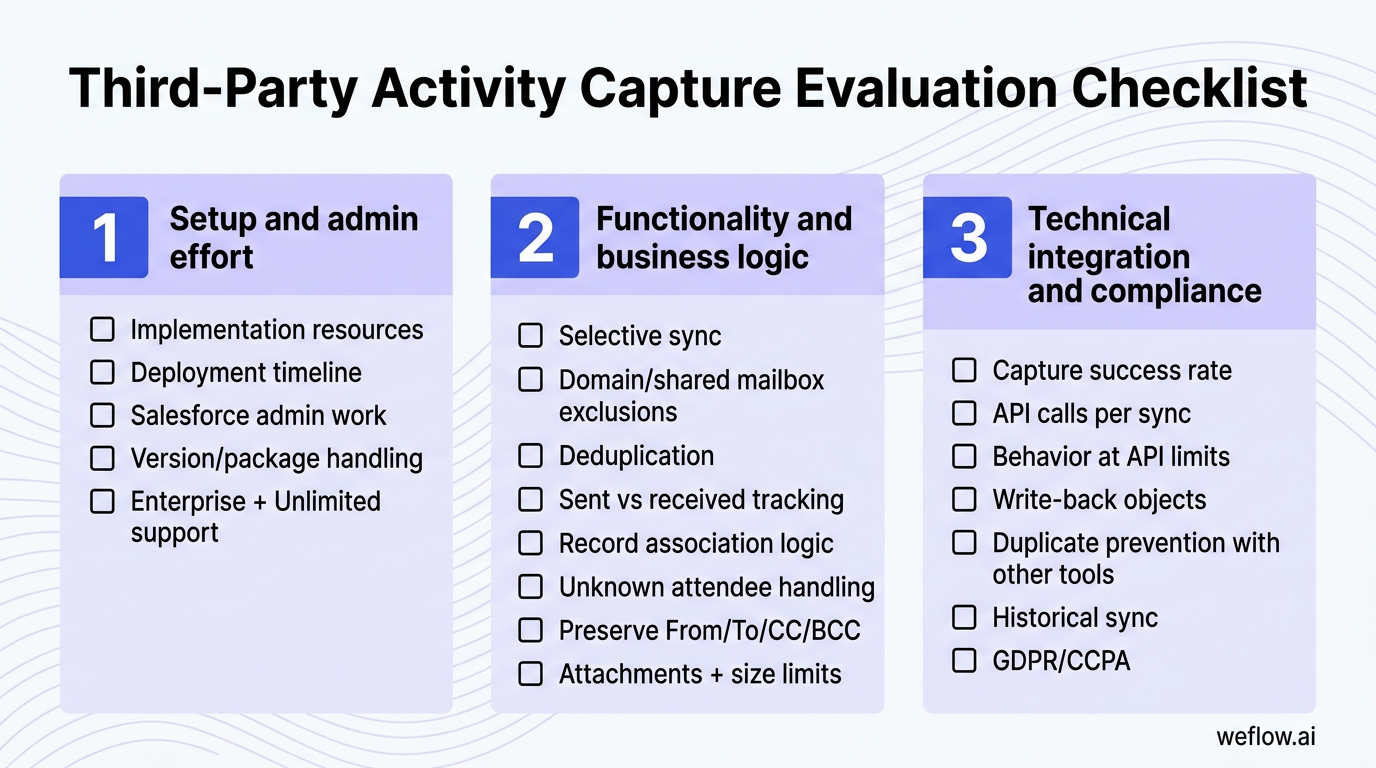
Setup and admin effort
- What internal resources do we need for implementation?
- What is the typical deployment timeline—days, weeks, or months?
- How much Salesforce admin work is required for field mapping, testing, and validation?
- How do version upgrades and package changes get handled?
- Does the vendor support Salesforce Enterprise and Unlimited editions?
Functionality and business logic
- Can users selectively sync emails and meetings?
- Can admins exclude domains, shared mailboxes, or specific email addresses?
- How does the tool deduplicate email threads and recurring meetings?
- Does it track whether an email was sent or received?
- Can it associate activities to the right Contact, Account, Lead, and Opportunity?
- How are unknown attendees handled if they do not yet exist in Salesforce?
- Can it preserve From, To, CC, and BCC fields on write-back?
- Can it log attachments, and can admins set attachment-size limits?
Technical integration and compliance
- What capture success rate does the vendor see across Google Workspace and Microsoft 365?
- How many API calls does the sync require per email or meeting?
- What happens when Salesforce API limits are reached?
- Which objects does the tool write to: EmailMessage, Event, Task, or custom objects?
- How does it prevent duplicates with Outreach, Chili Piper, marketing automation, or other sync tools?
- Can it sync historical data, and how far back?
- Is GDPR and CCPA compliance documented and contractually supported?
GDPR and CCPA are strict pass/fail requirements, not “nice to have” checklist items. If the vendor cannot explain data handling, retention, deletion, and regional controls clearly, stop the evaluation.
If you’re migrating from Gong, ask the vendor to show exactly how it handles Salesforce write-back, historical sync, and field mapping. That matters because RevOps teams often inherit shallow field mapping and manual workarounds from Gong’s Salesforce integration and need a lower-effort path to permanent records in Salesforce.
Review business support and scalability metrics
Technical fit is only half the job. Activity capture becomes a core system fast, which means support coverage, backup policy, and sync performance all affect adoption and reporting accuracy.
Support and service levels
- What uptime SLA does the vendor offer?
- Which time zones does support cover?
- How quickly are production issues triaged and resolved?
- How often are updates released, and how are changes communicated?
- Can the vendor provide reference customers with a similar Salesforce setup?
Pricing, backup, and data ownership
- Is pricing based on seats, activity volume, or storage?
- How is data backed up, and for how long?
- What happens if you need a full export of all activity data?
- What is the archival strategy for older records?
- Who owns cleanup and duplicate remediation over time?
Performance and scale
- What is the sync latency between an email or meeting happening and the record appearing in Salesforce?
- How does the tool perform with high activity volume across SDR and BDR teams?
- What effect does it have on Salesforce storage and API consumption?
- How does the system handle peak load times, such as Monday morning calendar sync spikes?
- Are there limits on user count, mailbox count, or daily activity volume?
Latency matters most in high-velocity SDR and BDR teams. If activity write-back lags by hours, managers inspect stale accounts, routing logic misses fresh meetings, and same-day coaching workflows break. Winner for operational reliability: the vendor with the lowest proven sync latency and the clearest SLA.
Configure simple and advanced activity logging logic
Good activity capture depends on good matching logic. The vendor should be able to explain the rules in plain language and show how those rules interact with your Salesforce data model.
- Simple logic
- Email or meeting maps to a Contact and/or Account.
- Email address matches an existing Contact or Lead record.
- Email address plus timestamp can help associate the activity to the active Opportunity in the same period.
- Email status or relationship data can help connect the activity to an Opportunity Contact Role or parent Account.
- Advanced logic
- Everything in simple logic, plus stage-based rules.
- Custom field mapping for regions, business units, or record types.
- Manual adjustment options when automatic attribution is wrong.
- Support for custom objects only where the business case is documented.
- Selective manual logging for privacy-sensitive or excluded communications.
For example, if an email comes from a known buyer on Tuesday at 10:14 a.m., the system can match the email address to a Contact, then use the timestamp and open opportunity window to attribute that email to the right Opportunity instead of only the Account.
Einstein Activity Capture alternatives: secure permanent records
If your requirement is clear reporting, permanent Salesforce storage, and lower admin cleanup, you need an alternative that writes activity data back into standard Salesforce objects. Weflow, a Salesforce-native revenue AI platform, is built for that model.
- Auto-captures emails and meetings into Salesforce records. That supports 95%+ activity completeness instead of depending on rep memory.
- Uses standard Salesforce objects for reporting. Emails and meetings can be written to objects such as EmailMessage and Event, which means standard report builder, Flow, and dashboards work as expected.
- Permanently stores activities in Salesforce. The records stay in your Salesforce data model instead of living off-core and only appearing in the timeline.
- Syncs historical activities. Teams can backfill up to 24 months of email and meeting history to close reporting gaps during rollout or migration.
- Supports Google Workspace and Microsoft 365. That keeps the capture layer aligned with common enterprise email and calendar systems.
- Combines automatic logging with manual controls. Admins can set exclusions, privacy rules, and selective sync behavior without giving up background capture.
- Includes central admin controls. Business Systems teams can manage sync logic, write-back behavior, and integration settings without heavy per-user setup.
- Meets enterprise security requirements. Weflow supports SOC 2 Type II and GDPR/CCPA requirements and is designed for Salesforce Enterprise and Unlimited environments.
- Deploys in weeks, not quarters. That lowers implementation effort and total cost of ownership compared with broader revenue stack projects.
These points map directly to the native gaps: standard reporting instead of off-core visibility, permanent records instead of timeline-only access, and historical sync instead of migration dead ends. For teams moving off Gong, Weflow also reduces transition overhead because activity capture, Salesforce write-back, pipeline inspection, and forecasting sit in the same Salesforce-native system rather than relying on shallow field mapping and manual workarounds.
Winner for permanent records and standard Salesforce reporting: Weflow.
FAQ
What is the best object to store emails in Salesforce?
The best object for most teams is EmailMessage through Enhanced Email. It stores full email content and metadata, supports custom fields and report types, and fits Salesforce automation better than forcing email data into generic Task records. It also avoids the long-term maintenance problems that come with custom email objects.
Why does Einstein Activity Capture prevent standard reporting?
EAC shows activity data inside Salesforce, but the underlying records are not stored as standard Salesforce objects in core storage. Because of that, Salesforce report builder, Flow, and other admin workflows cannot treat the activities the same way they treat native EmailMessage, Event, or Task records. The timeline view hides that distinction, which is why teams often discover the reporting limitation late.
How do you migrate historical activity data into Salesforce?
Native Salesforce options are weak here, especially if the activity history was never stored as core Salesforce records. Third-party capture tools can usually connect to mailbox and calendar systems, backfill historical emails and meetings, deduplicate them, and write them into Salesforce—often up to 24 months back. Before you run a backfill, validate record ownership, date filters, duplicate rules, and Salesforce storage impact.
Can you combine automated activity capture with manual controls?
Yes, and that’s usually the best setup. The right design logs most activity automatically in the background, then gives users and admins granular controls for exclusions—such as private meetings, legal domains, internal-only traffic, shared mailboxes, or one-off emails that should not be written to Salesforce. That keeps activity completeness high without creating privacy or governance issues.
.avif)